Safely deployed on Salus
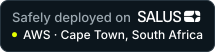
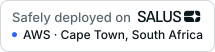
A badge for apps deployed on Salus. It tells visitors the app ships through Salus, a safe cloud deployment platform, and links here so they can see what that involves.
If you clicked a badge
What the badge means
How it’s deployed
Every deploy runs through a Salus pipeline. Salus scans the app’s packages for known vulnerabilities, then builds it and releases it under the rules its organization sets.
What its owner sees
The app’s logs and metrics, each deploy and who started it in an audit log, and open vulnerabilities on a dashboard. The owner’s IT team can take the app offline from the same console.
Where it runs
On Salus Cloud, in the cloud and region on the badge: Amazon Web Services’ Cape Town region (af-south-1) in South Africa, or Google Cloud’s South Carolina region (us-east1) in the United States. A database Salus manages for the app runs in the same region.
What it doesn’t say
It isn’t a certification of the app: an app’s own security still depends on how it’s built. It also doesn’t describe how the app’s owner handles your information. Their privacy policy does.
Salus is SOC 2 Type II compliant and ISO 27001:2022 certified, following independent audits. How Salus handles security
If your app runs on Salus
Add the badge to your site
Choose where your app runs and a style, then paste the code into your site, for example in its footer.
AWS, Cape Town · Dark
AWS, Cape Town · Light
Google Cloud, South Carolina · Dark

Google Cloud, South Carolina · Light

No region · Dark

No region · Light

- Use the badge for an app deployed on Salus, and choose the region it runs in.
- Keep the wording and artwork as they are. You can resize it, keeping its proportions.
- Paste the code, or download the file and serve it from your own site. Either way, your visitors’ browsers never contact Salus to show it.
- The code links to this page, so a visitor can see what the badge means.
Using a coding agent? Ask it to “add the Safely deployed on Salus badge to my site’s footer”. It can check where your app runs with the Salus MCP server’s list_environments tool, then take the matching code from badges.json.
Run your team’s apps on Salus
Start free: connect a Git repository, deploy, and choose the region each environment runs in.