Connect a Database
Link it to a project
The easiest way to wire a database into an application is to link it to a project’s environment. From the database’s Linked projects, pick a project and one of its environments, and Salus injects the connection details — including the password — into that project’s environment variables, so you don’t copy anything by hand.
The injected variables are named after the database. For a database called orders-db:
SALUS_DATABASE_ORDERS_DB_CONNECTION_STRINGSALUS_DATABASE_ORDERS_DB_HOSTSALUS_DATABASE_ORDERS_DB_USERNAMESALUS_DATABASE_ORDERS_DB_PASSWORDSALUS_DATABASE_ORDERS_DB_DBNAME
Your app reads these at runtime like any other variable. They aren’t available at build time, so connect to the database when the app starts, not during the build.
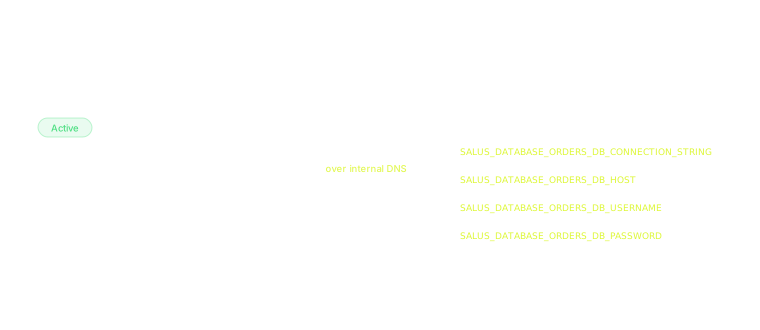
Linking injects the connection details as read-only variables
Connect manually
You can also connect using the database’s own connection details — useful for reaching it from outside Salus. Fetching a database’s details gives you its connection string and endpoints:
postgresql://<username>:<password>@<host>/<database>Connections use the standard PostgreSQL port 5432 and require TLS. There are two kinds of endpoint:
- Internal — a private hostname reachable from your Salus deployments in the same organization. This is the default and needs no public exposure. A linked project can only communicate with its database over the internal DNS — the injected
SALUS_DATABASE_*variables point there. - External — a public hostname (on the internet) that you can enable when you need to reach the database from outside Salus, such as from a local machine or a third-party tool.
If you wire the connection string in by hand, store it on the project as an environment variable and keep the password as a secret.
Control network access
By default a database is private — only its internal endpoint is reachable. The Public Network setting (“Expose database to the public”) enables the external endpoint and shows its public DNS name.
Leave public access off unless something outside Salus genuinely needs to connect — your own deployments never need it.
Troubleshooting
- A linked project can’t reach the database. A linked project can only communicate over the database’s internal DNS — pointing it at the external (public) hostname doesn’t work. Connect using the injected
SALUS_DATABASE_*variables, which resolve to the internal endpoint. - Can’t connect from your local machine. The internal endpoint isn’t reachable from outside Salus — enable Public Network and connect to the external endpoint, with TLS, on port 5432.
- Authentication fails on a manual connection. The connection string you fetch later has the password masked — use the password you saved at creation, or rotate it for a fresh one.