Manage and Delete
Change your deployment strategy
You can update your deployment strategy from the configuration’s Danger Zone.
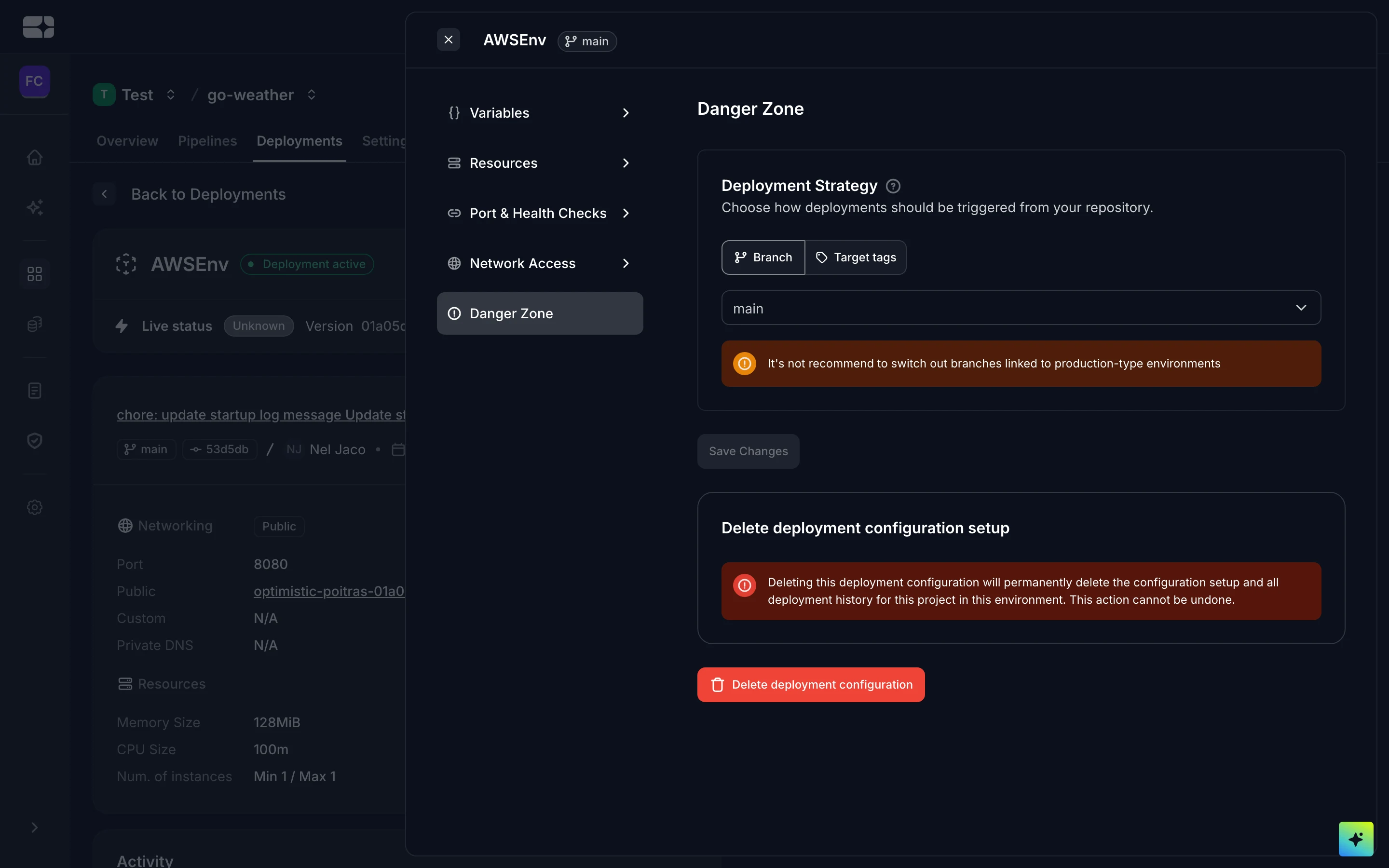
The configuration’s Danger Zone
Delete a configuration
You can delete a project’s deployment configuration for an environment.
Delete an environment
You can delete an environment you no longer need — a preview, a spike, or an old staging setup — from your workspace’s environments list. The option appears only if your role allows deleting environments, and you’ll be asked to type the environment’s name to confirm.
Before you confirm, Salus checks whether any projects are still running in the environment and tells you what it finds — environments are shared across a workspace, so more than one project can be live in the one you’re deleting.
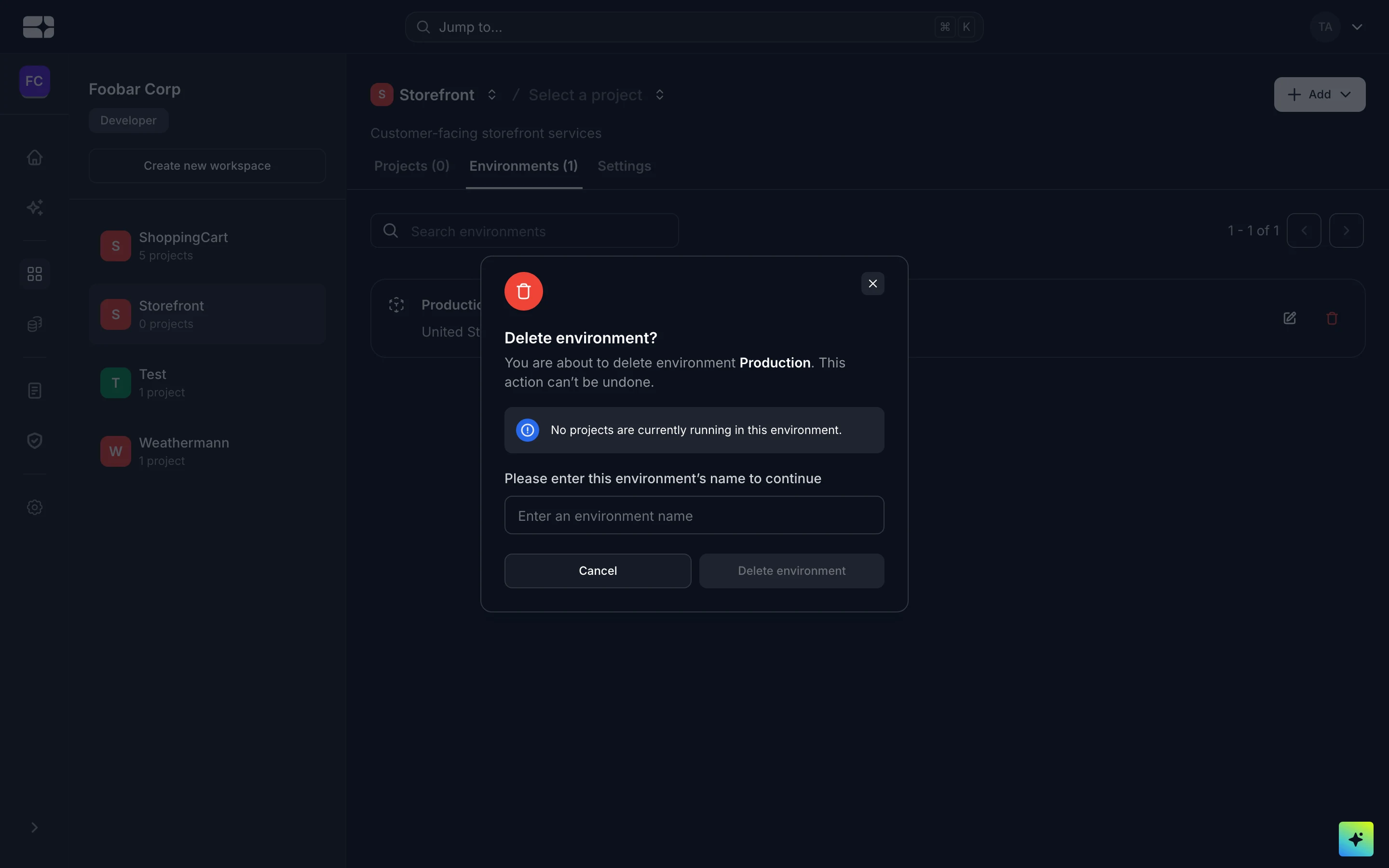
Deleting an environment, with its running-projects check
This is different from deleting a configuration (above), which removes a single project’s setup for an environment. Deleting the environment itself removes it for every project in the workspace.