Unit Testing
Unit testing is a cornerstone of code quality and reliability. Salus runs your automated unit tests as a stage in the pipeline: it executes your test suite against the codebase, collects the results, and reports them alongside the rest of the run.
Salus uses the test command you provide to run the suite, then collects and reports the results so they’re part of every build.
Understanding coverage data
When you review a unit test report, one key metric is coverage — how much of your source code your tests actually exercise. It’s expressed as a percentage: 80% line coverage means 80% of your code lines ran during testing.
Types of coverage on Salus
- Line coverage — percentage of individual lines executed by tests.
- Statement coverage — whether each statement in the code was executed.
- Branch coverage — percentage of decision points (e.g.
if/else) where all paths are tested. - Method coverage — percentage of defined functions or methods called during testing.
Enable unit testing
In your project’s settings — or during project creation — you’ll find a Test Command field where you define the command that runs your tests. This is optional: if you leave it empty, Salus runs the default test command for the framework it detects for your language. See Buildpacks.
Unit test report
Open your pipeline details page and click the Test tab for a full breakdown of the run: the number of tests, and how many were failures (a test’s assertion failed), errors (the test crashed and couldn’t be evaluated), or skipped, along with your coverage figures.
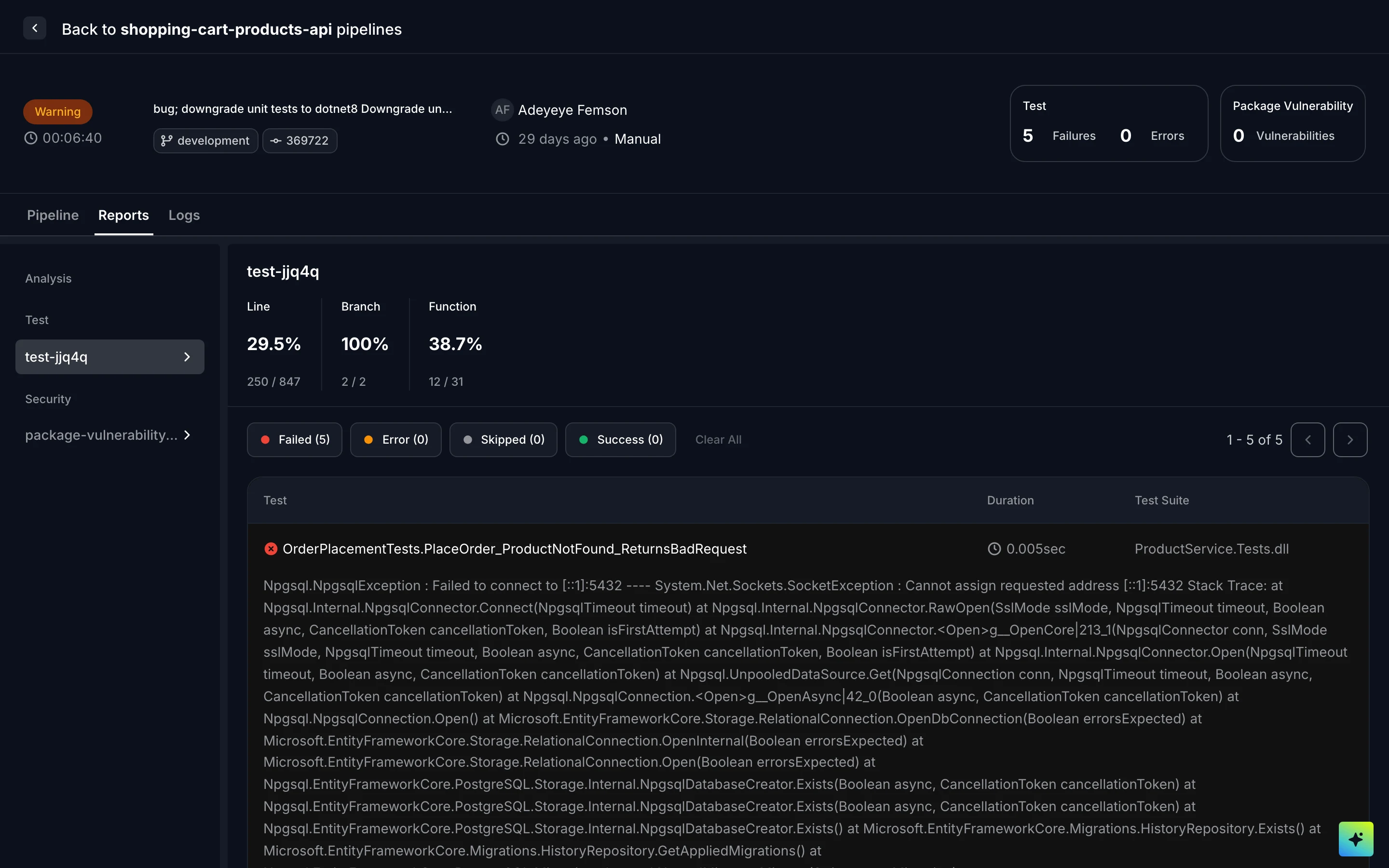
The unit test report for a pipeline run
Unit test logs
View the test-stage logs by opening the Logs tab and selecting the test stage from the drop-down on the left-hand panel.