Salus
DocumentationEnvironment Configurations

Deployments

Environment Configurations

Before you can deploy a pipeline in Salus, you need to configure an environment. Environments allow you to separate testing, staging, and production contexts, each with its own data sources, secrets, runtime settings, and access controls.

Environments

Environments in Salus are isolated contexts where pipelines are deployed and executed. Each environment has its own data connections, runtime settings, secrets, and access controls, allowing teams to safely test, stage, and run pipelines across different stages of development.

Think of environments as containers for running your pipelines under specific conditions, so that what happens in development doesn’t affect production.

You can also configure your deployment targets on Salus Enterprise

New environment configuration

New Environment Configuration

Select/Create an Environment

To configure an environment you need to select from the existing list of environments. Only environments that are not already configured will show up.

By default, each workspace is provided with a single environment named Production.
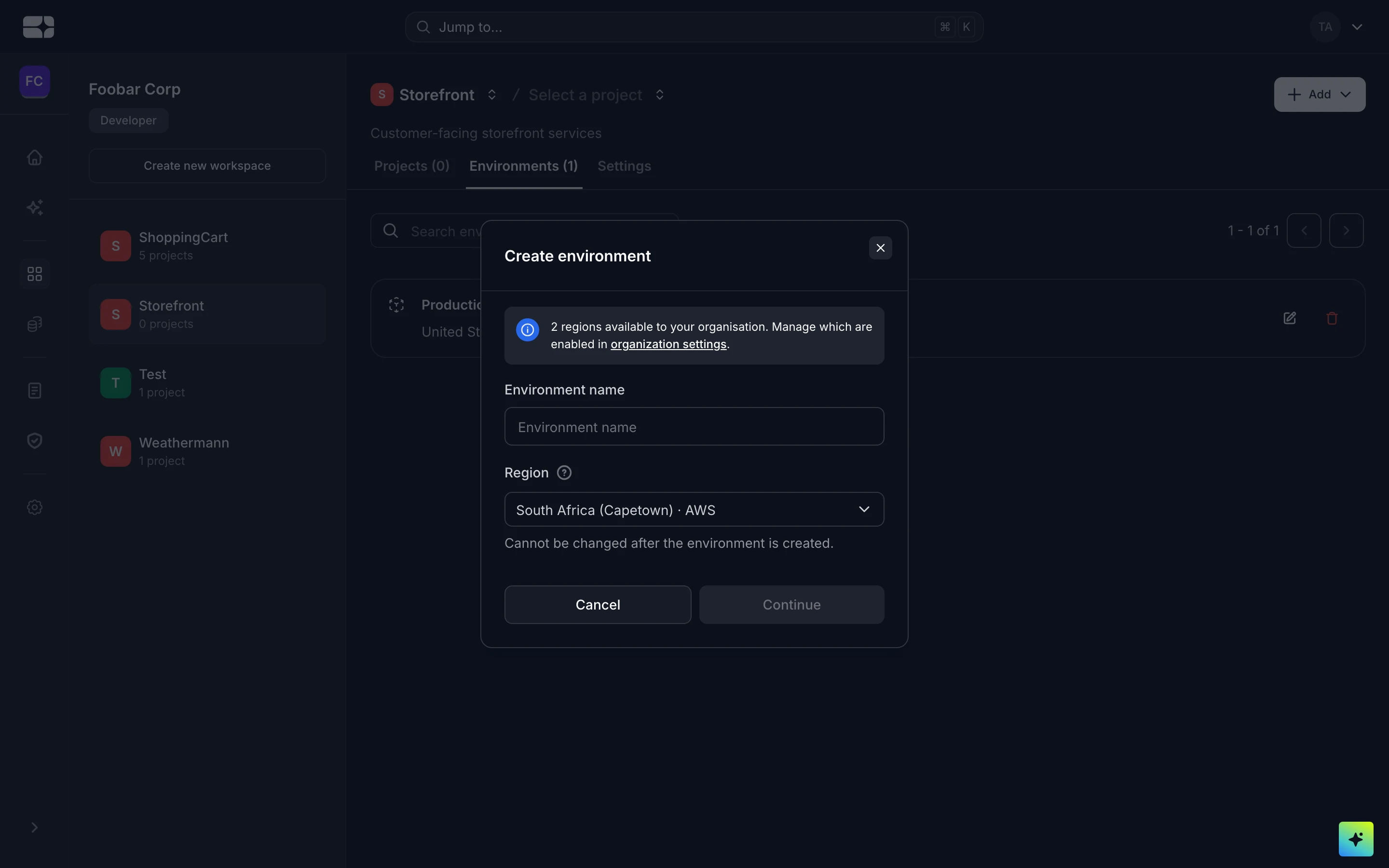
You can create a new environment by clicking on the drop-down and clicking “Add new environment”.

Select deployment target for Enterprise users.

Select a Deployment Strategy

You can either use branches or target tags as per your preferred deployment strategy. Ensure the available tags or branches are available in the connected Git repository.

Assign Compute Resources

You can assign compute resources for your application by selecting from the list of pre-defined memory and CPU sizes and, min and max number of instances.

🎉 Ready for Deployments

You can set up additional configurations or choose to default to Salus’ configuration for a quick setup. At this point your environment is ready for deployments.

Manage Additional Configurations

Automated Deployments

You can decide if you want your applications to be automatically or manually deployed if a pipeline is run. This is always enabled by default.

Runtime & Buildtime Variables

Manage the environment variables your application needs from each environment’s configuration. Each variable can be available at runtime (to your running app), at build time (during the build), or both.

  • Secrets — mark sensitive values such as API keys and database passwords as secrets. Salus stores them securely and masks them in the UI.
  • Files — a value can be exposed as an environment variable or mounted as a file, for config your app reads from disk.

Runtime Variables

Where variables are set

Variables can be defined at four levels, and a deployment inherits them all merged together. When the same key is set at more than one level, the level closest to the deployment wins:

Organization → Workspace → Project → Release configuration — later overrides earlier.

So you can set a shared value on the organization and override it for a single environment’s release configuration.

Example

For a Node.js service you might set:

Key Value Type
NODE_ENV production Variable (runtime)
DATABASE_URL postgresql://… Secret (runtime)
API_BASE_URL https://api.example.com Variable (build time)

Networking

Port

You can define your port, Salus will always default to 8080

Public Network

You can enable Expose application to public. This allows access to your application over the public internet — anyone with the URL will be able to reach it. See Access Control for more on public versus private exposure.

Domains

Whenever an application is exposed to the public, Salus assigns a free domain for it. You can also configure a custom domain.

Danger Zone

Change your Deployment Strategy

You can update your deployment strategy in the Danger Zone.

Delete Configuration

You can delete deployment configurations.