Projects
A project is your application, imported from a single Git repository. It owns its build configuration, its pipelines, and its deployments.
Setup a New Project
In your organizations’ workspace, click ‘Add’ button and select ‘New project’ from the drop-down.
Import your Repository
Select the Git provider and the repository you want to setup as a new project.
To add or manage a Git provider, select the drop-down and select the provider you would like to add, or head over to organizations’ settings to manage the available providers
Define Project Details
Your project name and description are populated automatically from your repository details. You can update them, or swap the workspace or repository you want to set up.
Define Project Type
You can set up two types of project on Salus:
- Server-side applications — web services that run backend code (APIs, server-rendered apps).
- Client-side applications — static sites built into HTML, CSS, and JavaScript.
For Node.js projects, you also choose the Node.js version your app runs on. See Supported Stacks.
Setup Additional Custom Configurations
You can set additional build commands, such as:
- Install command
- Build command
- Output directory
- Test command
Salus fills in sensible defaults for the framework it detects; see Buildpacks for how builds are configured.
Create your Project
Once your project is created successfully, you’ll be redirected to the pipeline landing page.
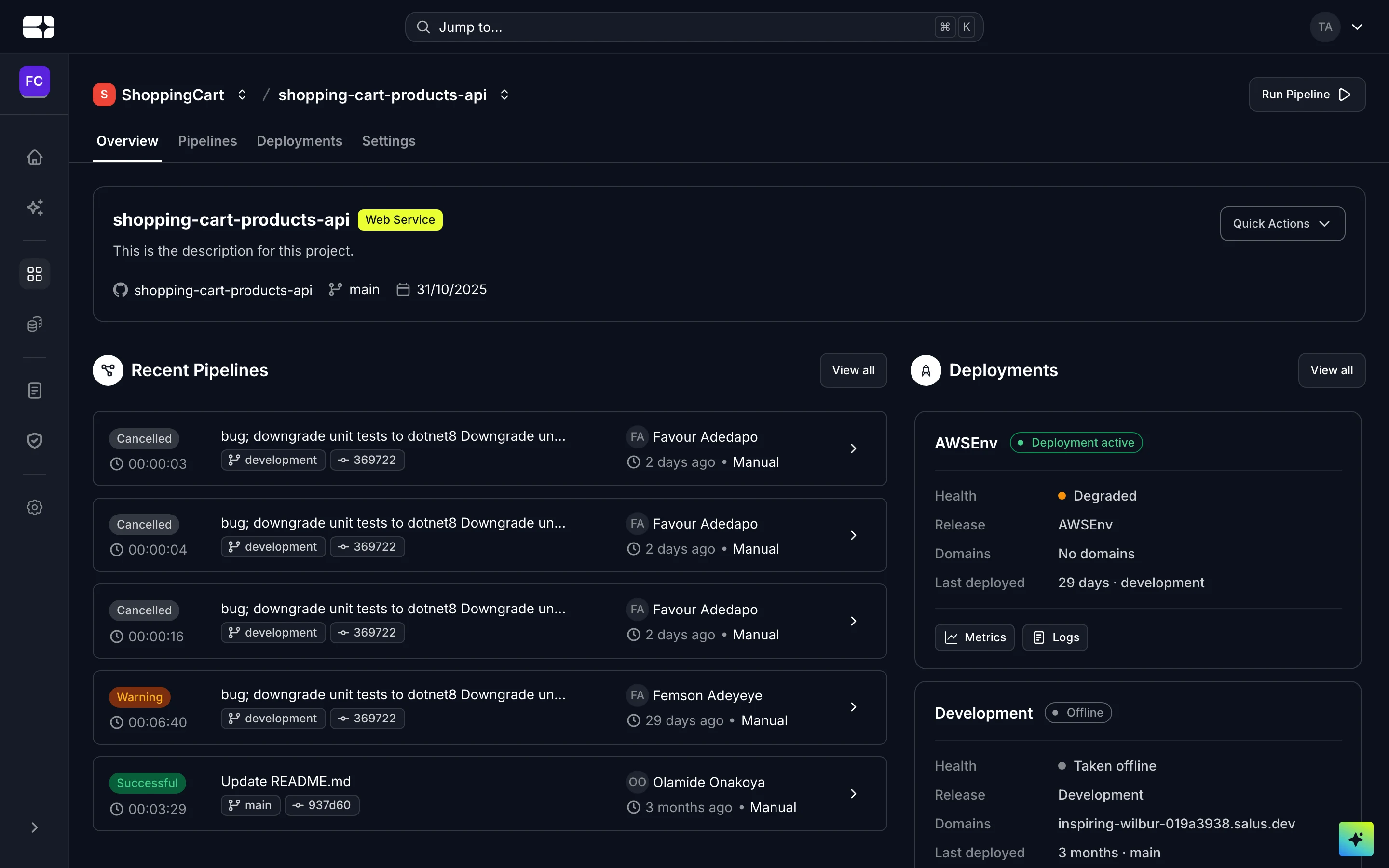
A project overview, with recent pipelines and deployments