Configure an Environment
Configuring an environment for a project takes one form, covering where it runs, what it deploys, the compute it gets, and how it’s reachable. You’ll find it on the project’s Deployments tab.
Create the environment
Add an environment from your workspace’s environments list, or from Add Environment on a project’s Deployments tab. You give it a name and a region.
Your organization’s default region is pre-selected and marked Default, and each option is named by country and city with its cloud provider.
A region can’t be changed after the environment is created, so pick it deliberately.
Configure the deployment
With the environment in place, the configuration form asks for:
- Deployment strategy — deploy from a branch or from target tags. Make sure the branch or tag exists in the connected Git repository.
- Compute resources — pick from the pre-defined memory and CPU sizes, and set the minimum and maximum number of instances.
- Networking — the port your app listens on, whether it’s publicly exposed, and its domains (see below).
Once saved, the environment is ready for deployments: run a pipeline and it will deploy here. You can revisit any of these settings afterwards.
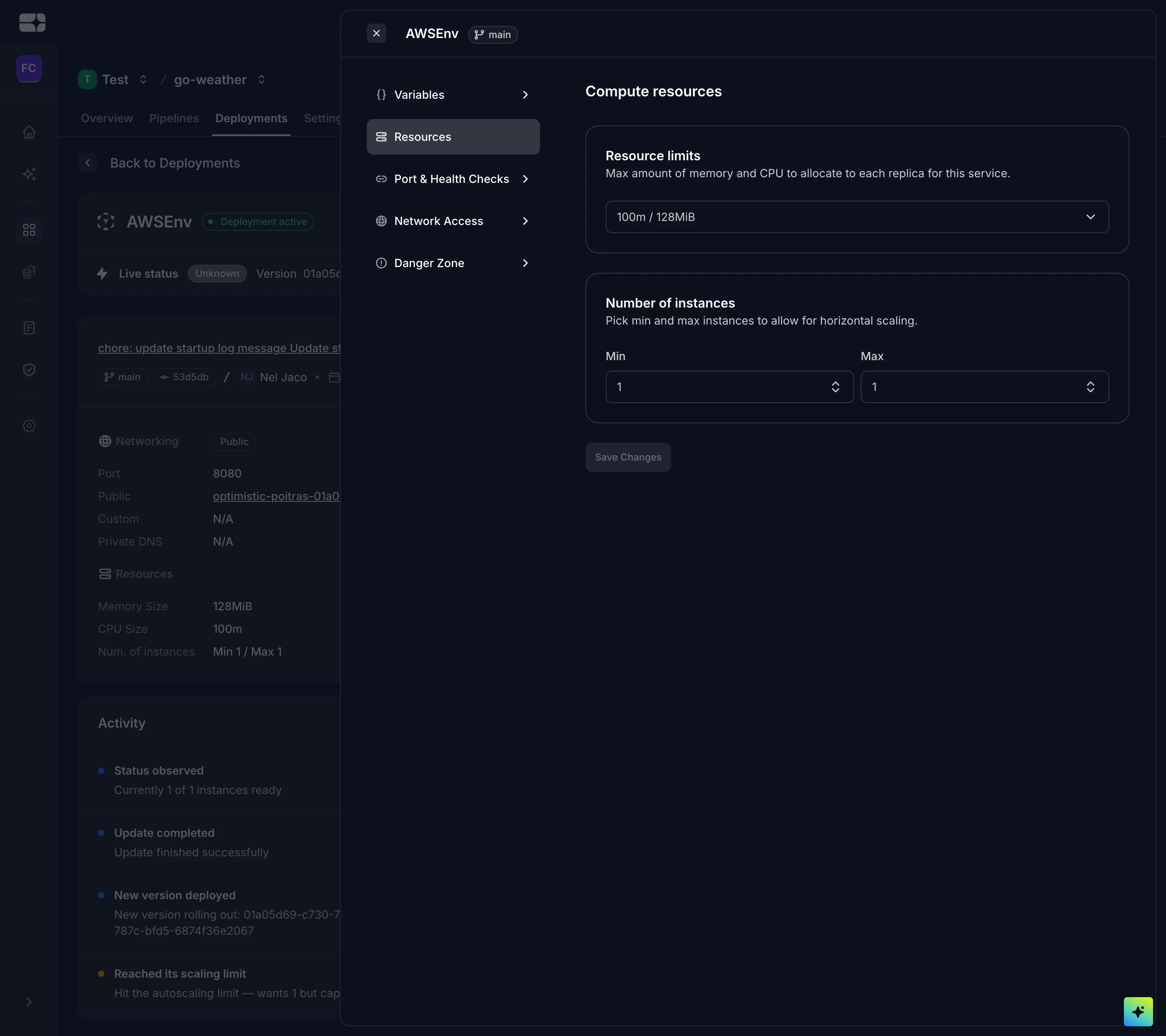
Compute resources for a configured environment
Automated deployments
You can decide if you want your applications to be automatically or manually deployed when a pipeline runs. This is always enabled by default.
Networking
Port
Set the port your app listens on; 8080 is the usual choice, and it’s what an AI agent sets when it deploys through MCP. Salus doesn’t pass a PORT variable to your app, so make it listen on this port explicitly: an app that falls back to a default such as 3000 won’t receive traffic. Static sites are served on 8080 for you.
Public network
You can enable Expose application to public. This allows access to your application over the public internet — anyone with the URL will be able to reach it. See Access Control for more on public versus private exposure.
Domains
Whenever an application is exposed to the public, Salus assigns a free domain for it. You can also configure a custom domain.
Troubleshooting
- The app is deployed but unreachable. Check that Expose application to public is enabled if you’re connecting from the internet, and that the configured port matches what your app actually listens on. The pipeline can pass while the port is wrong, so a green run with an unreachable URL usually means this.
- The region you want isn’t offered when creating an environment. Only regions enabled for your organization appear — an admin can enable it on the organization’s Regions page.